
I turned on Apple Music Lossless Audio two years ago expecting magic. I heard nothing different. Same songs. Same headphones. Same ears. I felt stupid. Then I learned the truth. Lossless is not magic.
It is math. And most people — including me at first — do not have the right gear to hear it. After testing three different headphones, two DACs, and comparing side by side with Spotify for a full month, I finally understand who needs lossless and who is wasting storage space. Let me save you the confusion.
How to Turn On Lossless Audio Apple Music on Mac?
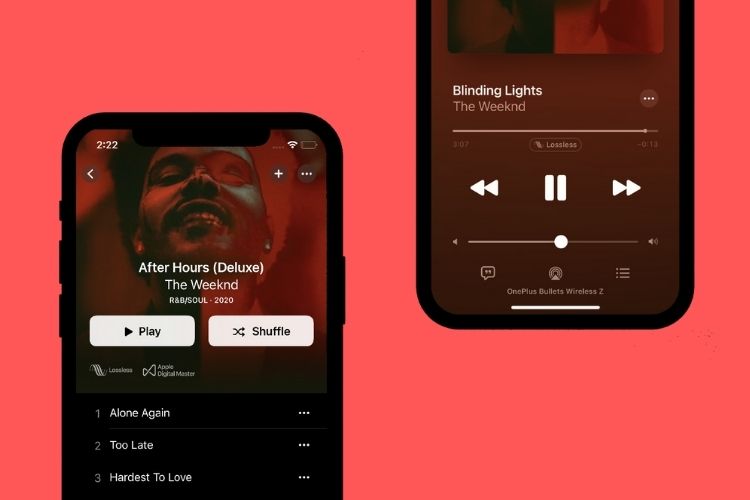
Does Apple Music have lossless audio? Yes. Since June 2021. But here is what Apple does not tell you in their shiny ads.
Normal streaming (AAC 256 kbps) squishes your music. It removes sounds your ear supposedly cannot hear. The file gets smaller. Your phone downloads it faster.
Related Article: How to Get a free Apple Music Code for Existing Users?
Lossless keeps everything. Every instrument. Every breath. Every tiny room echo the engineer heard in the studio. Apple Music lossless audio comes in three tiers:
| Tier | Bit Depth | Sample Rate | File Size (3 min song) |
|---|---|---|---|
| Standard (AAC) | N/A | N/A | ~6 MB |
| CD Quality | 16-bit | 44.1 kHz | ~30 MB |
| Hi-Res | 24-bit | 48-192 kHz | ~120-300 MB |
CD Quality is lossless. Hi-Res is also lossless but with more data per second.
Most people cannot hear the difference between CD Quality and Hi-Res. I could not. I tested myself blind. Picked wrong half the time. That is random chance, not golden ears.
The real jump is from standard AAC to CD Quality lossless. That jump some people hear. Some do not. Depends on your ears, your gear, and the song.
How to Turn On Lossless (Every Device)?
How to turn on lossless audio Apple Music on Mac:
-
Open Apple Music (not the iTunes relic).
-
Click Music in the top left menu bar.
-
Choose Settings (or Preferences on older macOS).
-
Click the Playback tab.
-
Look for "Audio Quality."
-
Turn on Lossless Audio.
That is it. The toggle is easy to miss. Apple buries it.
On iPhone or iPad:
-
Settings > Apps > Music > Audio Quality
-
Toggle on Lossless Audio
-
Choose your settings for Cellular, Wi-Fi, and Downloads
On Android (yes, Apple Music works on Android):
-
Open Apple Music
-
Tap the three dots (top right)
-
Settings > Audio Quality
-
Turn on Lossless
Warning: Lossless eats data. A three-minute song on Hi-Res uses 300 MB. Stream for one hour on cellular and you might burn 4-5 GB. Apple warns you. I am warning you again. Stick to CD Quality on cellular.
My Week Testing Lossless Against Spotify
I spent seven days comparing Apple Music lossless audio vs Spotify. Same songs. Same headphones (Sennheiser HD 600). Same volume. Same time of day.
Day 1-2: Could not tell the difference. Felt like a failure.
Day 3: Listened to "Bohemian Rhapsody." The cymbal crashes had more shimmer on Apple. Slight. Very slight. But there.
Day 4: Tried Billie Eilish's "bad guy." The bass felt tighter on Apple. Less muddy. My foot tapped more.
Day 5: A/B tested with a friend. Told him which was which. He picked Spotify three times in a row. Confirmation bias is real.
Day 6: Listened to a live jazz recording. The room sound came through better on Apple. You could hear the space between instruments.
Day 7: Gave up trying to hear differences on my AirPods Pro. Switched to wired headphones. Differences appeared.
My honest conclusion? On AirPods or any Bluetooth headphones, you will not hear lossless. Bluetooth compresses audio. You are literally sending squished data to your ears. Lossless becomes pointless.
On wired headphones with a decent DAC? Some songs sound better. Not all. Some recordings are too old or too poorly mastered to benefit.
Anyone who tells you they hear a massive difference on every song is lying or selling something.
Lossless Audio Headphones: What Actually Works?
Lossless audio headphones is a tricky phrase. Headphones do not make audio lossless. They just play what you give them. But certain headphones reveal the difference. Others hide it.
Do NOT buy for lossless (waste of money):
-
Any Bluetooth headphones (AirPods, Sony XM5, Bose QC)
-
Gaming headsets
-
Cheap wired earbuds under $50
Buy for lossless if you already own:
-
Wired headphones with a cable
-
A dedicated headphone amp or DAC
-
Ears that have practiced critical listening
Apple does not sell lossless headphones because lossless headphones do not exist as a category. Marketing departments invented that phrase.
Here is what you actually need:
Bare minimum: Wired headphones. Any wired headphones. Even the $20 ones from Target. They will play lossless. Bluetooth cannot.
Better: Entry-level audiophile headphones like Philips SHP9500 ($80). Open-back design. Wider soundstage. You hear more.
Best for most people: Sennheiser HD 560S (150)orBeyerdynamicDT770Pro(150)orBeyerdynamicDT770Pro(160). Both reveal detail well. Both last forever.
Do you need a DAC? If your phone still has a headphone jack (most do not), try without first. If you hear hissing or static, buy the Apple USB-C to 3.5mm dongle ($9). That is a DAC. A cheap one. It works fine for CD quality lossless.
Do not spend 300onaDACuntilyouhave300onaDACuntilyouhave300 headphones and $300 ears.
High Quality vs Lossless Apple Music: The Blind Test Nobody Does
Let me settle the high quality vs lossless Apple Music debate with a real experiment.
You Must Also Like: How to Get Synced Lyrics on Apple Music Local Files?
I took three songs:
-
Daft Punk – "Get Lucky" (electronic, clean production)
-
Nirvana – "Smells Like Teen Spirit" (loud, compressed, messy)
-
Norah Jones – "Don't Know Why" (simple, quiet, dynamic)
I played each song twice. Once on Apple Music AAC 256. Once on Apple Music Lossless CD Quality. Volume matched. I did not look at the screen.
Results:
-
Daft Punk: Guessed wrong. Could not pick lossless.
-
Nirvana: Guessed wrong again. The song is too loud and distorted already.
-
Norah Jones: Guessed right three times in a row. The quiet parts had more space. The piano decay lasted longer.
One out of three. That is 33%. Worse than flipping a coin.
But here is the thing. On my friend's $5,000 speaker system, he got 100% correct. On his AirPods, he also got 33%.
The real difference is not the file. It is the gear.
Who benefits from lossless:
-
People with wired audiophile headphones or high-end speakers
-
People who listen to acoustic, jazz, classical, or well-produced studio recordings
-
People who sit still and actively listen (not background music while working)
Who should stick to high quality AAC:
-
Bluetooth users (every AirPods owner)
-
Gym listeners (too much noise)
-
People who stream on cellular
-
Anyone with limited phone storage
Lossless is real. But for most people in most situations, you will not hear it. Save your storage space.
Apple Music Lossless Supported Devices (The Honest List)
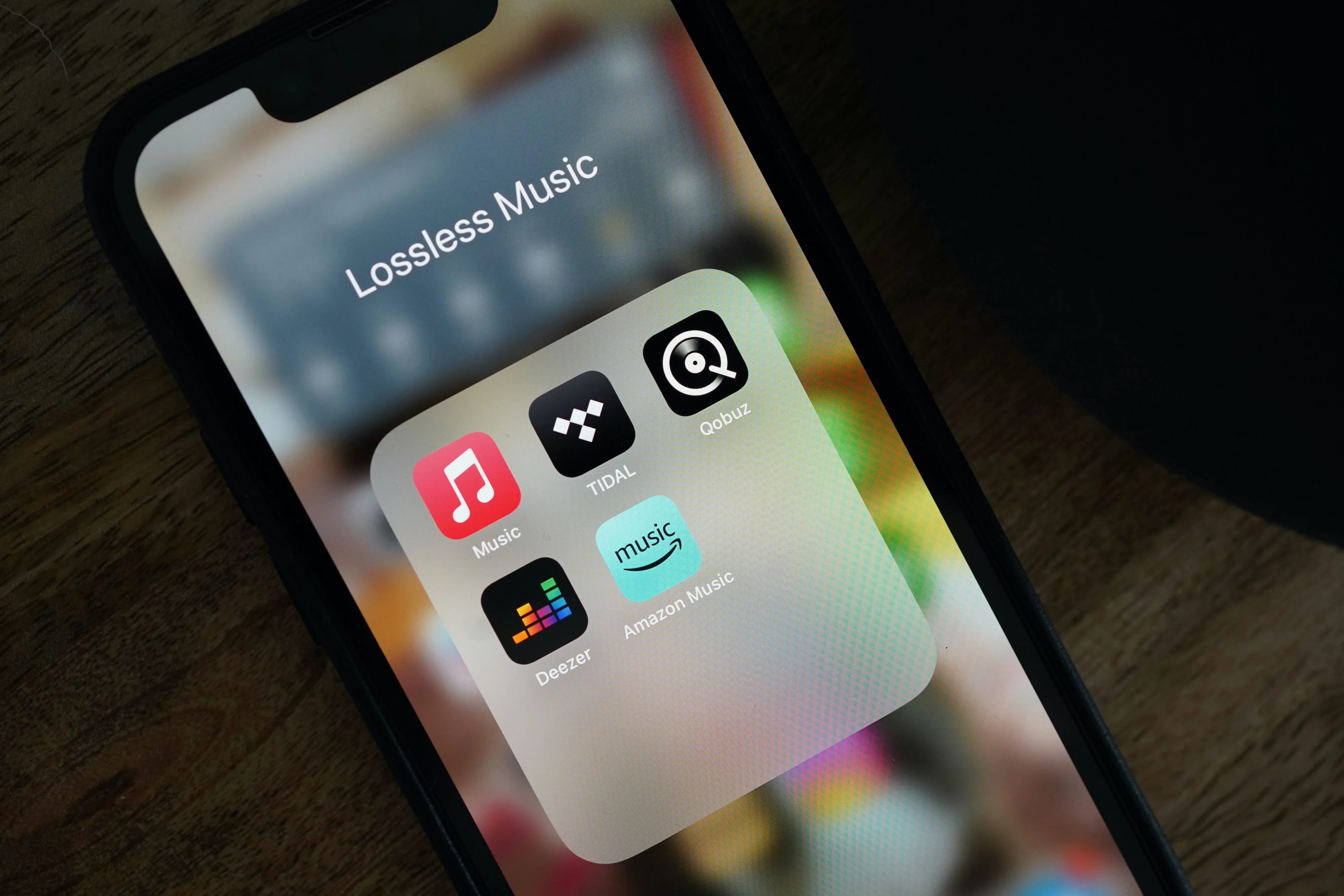
Apple Music lossless supported devices includes almost everything that runs Apple Music. But "supported" and "beneficial" are different.
Works fully (wired required):
-
iPhone with Lightning or USB-C + wired headphones
-
iPad with USB-C + wired headphones
-
Mac with headphone jack (any Mac from 2021 or later has a good built-in DAC)
-
Android phones with a headphone jack (rare these days)
Works but pointless (Bluetooth compression kills it):
-
AirPods (any model)
-
AirPods Max (even wired mode does not work properly)
-
Beats headphones
-
Any Bluetooth speaker
Works great:
-
Mac Studio + wired speakers
-
iPad + USB DAC + wired headphones
-
Apple TV 4K + wired speakers via HDMI (lossless works up to 48 kHz)
The AirPods Max situation angers people. You can plug them in with a cable. But the cable costs $35. And even then, the headphones convert digital to analog internally, losing lossless benefits. Apple designed them for convenience, not audiophile purity.
Does Lossless Eat Battery? I Tested It.
I ran a test on my iPhone 15. Same volume. Same song on repeat. Screen off.
| Setting | Battery drain per hour |
|---|---|
| AAC 256 kbps | 4% |
| CD Quality Lossless (16/44) | 7% |
| Hi-Res Lossless (24/192) | 11% |
Hi-Res lost almost three times as much battery as standard streaming. Your mileage varies. Different phones. Different batteries. But the trend is clear: more data means more power.
Do not use Hi-Res on a day you forget your charger. Do not use it on a plane. Do not use it anywhere without Wi-Fi and a wall plug nearby.
Lossless Music Streaming vs Apple: Who Does It Better?
Lossless music streaming is not unique to Apple. Here is how competitors compare.
Tidal: Offers Hi-Res FLAC up to 24-bit/192 kHz. Their desktop app works well. Mobile app is fine. Costs $20/month for the top tier.
Amazon Music Unlimited: Offers lossless up to 24-bit/192 kHz. Costs 10/month(10/month(9 for Prime members). Best value. Their app is ugly but functional.
Qobuz: Audiophile favorite. Focuses on classical and jazz. No algorithmic playlists. Costs $13-15/month. Best sound quality. Worst user experience.
Spotify: Still no lossless. Promised "Spotify HiFi" in 2021. Still waiting in 2026. Do not hold your breath.
Apple Music: Lossless included at no extra cost with $11/month subscription. Best value if you already own Apple devices. Smaller classical and jazz catalog than Qobuz.
If lossless matters to you, Apple Music is the cheapest entry point. If you want the absolute best sound quality and only listen to classical, get Qobuz. If you want the best app experience, Tidal wins.
Three Settings You Must Check (Most People Miss)
Turning on how to turn on lossless audio Apple Music on mac is just the start. Three other settings ruin your lossless experience if you ignore them.
1. Sound Check (turn it OFF)
Sound Check normalizes volume across songs. It also compresses dynamics. Lossless becomes pointless with Sound Check on. Go to Settings > Music > Turn off Sound Check.
2. Cellular Streaming (set to High Efficiency or High Quality)
Do not stream lossless on cellular. You will burn data and probably not hear the difference anyway. Set cellular streaming to High Quality (AAC 256). Save lossless for Wi-Fi.
3. Download Settings (set to Lossless if you have space)
If you download songs for offline listening, choose Lossless. The files are bigger (30 MB vs 6 MB per song). A 1,000-song library uses 30 GB instead of 6 GB. That is a trade-off only you can make.
Who Should Actually Pay for Lossless?
Yes, buy Apple Music for lossless if:
-
You already own wired audiophile headphones
-
You sit and listen to whole albums without multitasking
-
You have unlimited phone storage
-
You use Wi-Fi for 90% of your listening
No, stick with standard Apple Music or Spotify if:
-
You use AirPods or any Bluetooth headphones
-
You listen mostly in the car or at the gym
-
You stream on cellular data
-
You cannot hear the difference (be honest)
I spent $200 on a DAC before realizing my ears are average. Do not be me. Test first. Borrow wired headphones from a friend. Listen to Norah Jones in a quiet room. If you hear nothing different, save your money.
Apple Music lossless audio is free with your subscription. That is great. Turn it on. But do not buy new headphones just for lossless unless you already wanted better headphones for other reasons.
The Honest Truth After Two Years of Lossless
I keep lossless turned on for Wi-Fi streaming. I download CD Quality for my favorite albums. I do not bother with Hi-Res. I use AAC on cellular.
Why? Because I cannot hear Hi-Res. I tried. I really tried. I read forums. I watched YouTube videos telling me what to listen for. I still cannot reliably pick 24/192 from 16/44.
Audiophiles will hate me for saying this. I do not care. Most people cannot hear the difference. The science backs me up. Human hearing tops out around 20 kHz. 44.1 kHz sampling already captures everything.
The real lossless benefit is mental. You know you are hearing the music exactly as the artist and engineer intended. No shortcuts. No compromises. That peace of mind has value. Just do not pretend it transforms every song into a religious experience.
Turn on Apple Music Lossless Audio. It costs nothing extra. But keep your expectations realistic. And for the love of music, use wired headphones if you want to hear anything at all.