
Apple Music has grown smarter and more fun. One of the best new features is AutoMix. This feature creates smooth transitions between songs. It makes your music feel like a live DJ set. No sudden stops. No awkward gaps. A steady flow of sound.
In this guide, we will explain how to use AutoMix on your iPhone. We will also show how to enable Apple iOS 26 Music AutoMix step by step. This feature works on the new iOS 26 Apple Music AutoMix update. Anyone can use it. You do not need technical skills. Follow these simple steps.
What Is AutoMix in Apple Music?
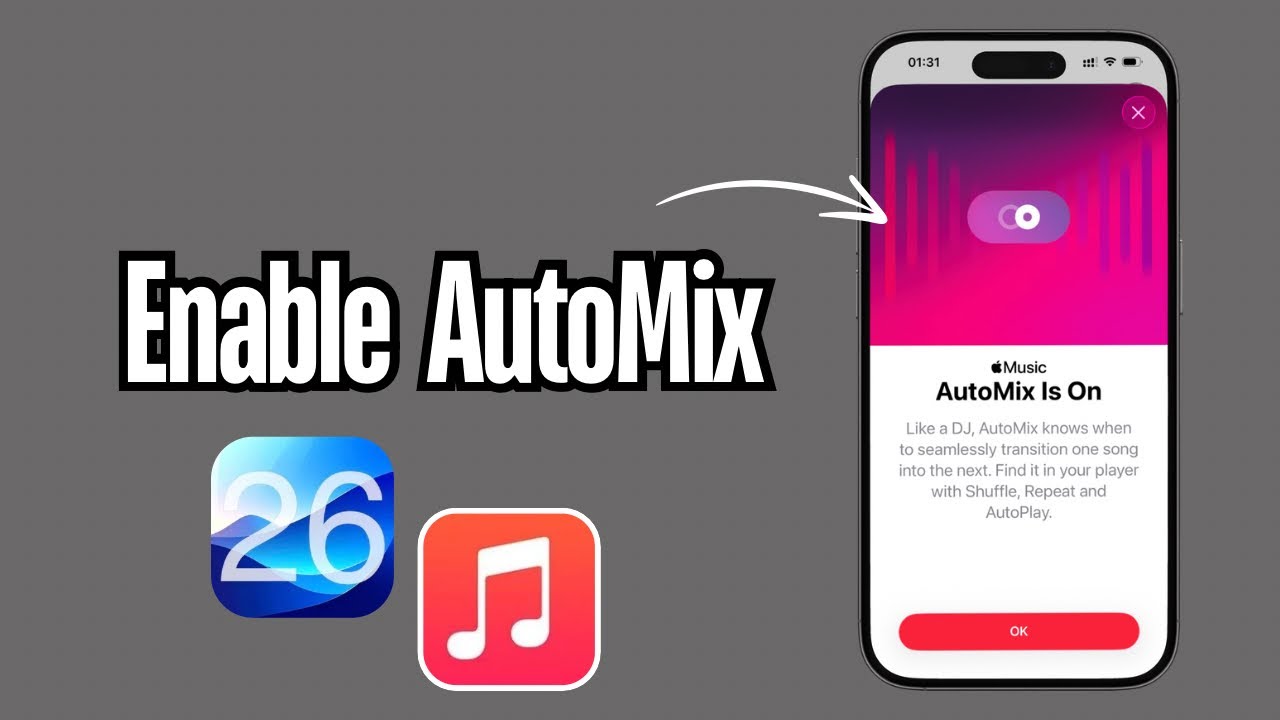
AutoMix is a feature in Apple Music. It mixes songs so one blends into the next. If you listen to long playlists, this feature can make the experience better. It feels like a DJ is mixing your tracks. AutoMix is ideal for:
Read Also: How to Cancel the Apple Music Free Trial? Step By Step Guide
-
Workouts
-
Parties
-
Relaxing at home
-
Driving playlists
The feature works well on iPhones running iOS 26. Many users ask how to enable Apple iOS 26 Music Automix so they can enjoy better music flow. This guide will help you do that.
What You Need Before You Start?
Before enabling AutoMix, check these:
- You have an iPhone or iPad.
- You are running iOS 26 or later.
- You have an Apple Music subscription.
- You have playlists ready to play.
You cannot turn on AutoMix without Apple Music. If your device is not on iOS 26 yet, update it first.
Step-by-Step: How to Enable AutoMix
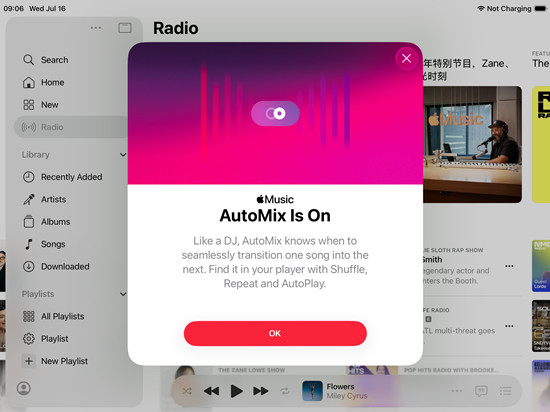
Follow these steps to turn on AutoMix. These instructions are clear and easy.
1. Open Apple Music.
Tap the Apple Music app. This is where all your music lives.
2. Pick a Playlist
Choose any playlist that you want to play. AutoMix works best with longer lists. But it can work with any playlist.
3. Start Playing the Music
Tap play. The songs will begin. You will see the mini-player at the bottom.
4. Tap the Playing Now Bar
This expands the player. You should see controls for songs and features.
5. Tap the More Menu (Three Dots)
This shows extra options. Look for “AutoMix.”
6. Tap “AutoMix”
Now your playlist will change. It will transition without interruption between songs. That is all there is to it. You have now learned how to enable Apple iOS 26 Music Automix.
You Must Also Like: How to Transfer Spotify Playlist to Apple Music?
What Makes AutoMix Amazing?
AutoMix helps your music feel more natural. Apple uses smart technology to mix songs. The songs match the tempo and mood. This means the transitions feel smooth.
Machine learning powers this feature. The system listens to BPM changes. It knows when to fade songs in and out. This is not random. They do it in a smart way.
With iOS 26 Apple Music AutoMix, the feature works better than ever. It can adapt to many music styles. Slow songs. Fast songs. Pop. Jazz. All genres get smooth mixes.
AutoMix vs. Crossfade
You may have heard of crossfade. Crossfade is older. It overlaps the end of one song with the start of the next. AutoMix is more advanced than crossfade. It looks at:
-
Rhythm
-
Beat
-
Song energy
-
Track patterns
AutoMix does not fade songs. It blends them with careful consideration. This gives a more professional feel.
How AutoMix Works Behind the Scenes?
Apple uses advanced algorithms. These algorithms study song data. They look at:
-
Beats per minute (BPM)
-
Melody patterns
-
Track key
-
Loudness levels
AutoMix then picks the right parts to mix. The result is smooth music. This is why you hear fewer awkward cuts between songs.
This intelligent mixing is a key part of iOS 26 Apple Music AutoMix success.
Devices That Support AutoMix
AutoMix works on:
-
iPhone (iOS 26 and up)
-
iPad (iPadOS 26 and up)
-
Apple Vision Pro (Music app)
-
macOS (when Apple Music offers the feature)
AutoMix may not be available on older devices. If your device runs an earlier iOS version, you may not see it.
To check your version: Go to Settings ▸ General ▸ Software Update.
If an update is available, install it. Then you can enjoy AutoMix.
Tips to Get the Best AutoMix Experience
Here are tips to make AutoMix work even better.
Pick Long Playlists
Short playlists create a choppy mix. Longer lists give AutoMix more tracks to work with.
Use Similar Genre
The closer the genre, the smoother the transitions. But AutoMix can also mix different styles.
Shuffle Off vs. On
You can turn shuffle on before turning on AutoMix. Some users prefer to shuffle playlists first. Try both ways to see what feels best.
Let It Play
AutoMix functions at its best when songs play without interruption. Try not to skip tracks too often.
How AutoMix Helps Different Users?
AutoMix can make a big difference for many people.
For Party Hosts: Music stays smooth. There are no sudden stops. Guests enjoy the flow.
For Commuters: Driving playlists feel better. Songs run like connected pieces.
For Workout Lovers: The energy stays up. Songs mix without interruption.
For Chill Sessions: Even slow playlists stay calm and smooth.
AutoMix makes listening better for everyone.
When Should I Use AutoMix?
AutoMix works well at any time. Here are great moments:
- Workout sessions
- Road trips
- House gatherings
- Chill evenings
- Study or focus sessions
Any playlist can feel more dynamic and smooth with AutoMix.
Why Apple Released AutoMix Now?
AutoMix is part of Apple’s evolution. The new iOS 26 Apple Music AutoMix reflects Apple’s focus on smart features.
Apple saw people wanting better listening experiences. Playlists are longer now. People skip fewer songs. They want a flow that feels natural.
AutoMix responds to that need. It makes playlists feel like a curated set. Not a random order.
Future of AutoMix
As Apple improves Music, AutoMix may grow. Future updates could add:
-
Personalized mixing styles
-
Mood-based AutoMix
-
AI-generated transitions
-
Integration with live features
The future looks exciting. For now, learning how to enable Apple iOS 26 Music Automix is your first step to better music.
Final Thoughts
Music should feel smooth and connected. AutoMix delivers that. With a few taps, the songs blend into one another without interruption. This makes your playlists feel alive. In this post, you learn:
-
What AutoMix is.
-
How it works
-
How to use it, step by step.
-
Tips to get the best mix.
We also answered common questions. Plus, we explained why AutoMix matters in the iOS 26 Apple Music AutoMix update.
Now you are ready. Open Apple Music. Try AutoMix. Enjoy a seamless music rush. Music has never sounded smoother. All you need is a playlist and AutoMix. Try it today. Your ears will thank you.