
Apple Music smart playlist users have something new to celebrate. iOS 26.4 dropped in March 2026, and it changed how playlists work. I have been testing these features for two months now.
Some of them blew my mind. Others frustrated me. Here is the honest breakdown of what works, what does not, and how to fix the problems when they pop up.
How to Create a Smart Playlist in Apple Music?
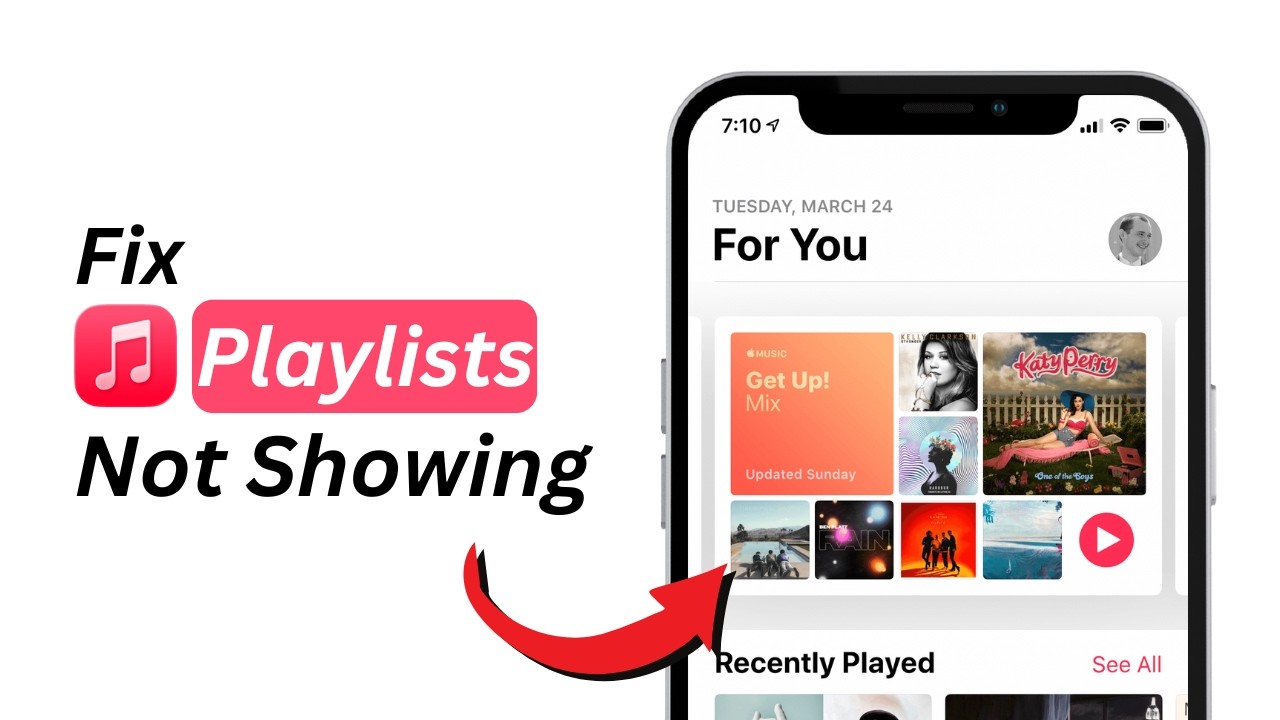
Let me start with the headline.
Apple Music received its biggest update in years with iOS 26.4. The redesign focuses on smarter playlist creation and deeper personalization. You get full-screen artwork now. Albums and playlists look more immersive. But the real story is the new AI tool.
Read Also: 10 Ways to Master the Apple Music Playlist Playground
It is called Playlist Playground.
And it is nothing like the old smart playlists apple music users knew before.
Playlist Playground: The AI Feature You Need to Try
Here is how Playlist Playground works.
You type a short description of what you want to hear. Something like "late night chill electronic" or "energetic gym pop." The system generates a complete playlist based on your prompt .
The AI pulls from your listening history and preferences. That means each playlist feels personal, not random.
I tested this with five different prompts last week. Here is what happened.
Prompt one: "90s hip hop for a road trip" – Generated 25 songs. Nailed the vibe. Included Nas, A Tribe Called Quest, and The Fugees. Two songs I did not know but liked.
Prompt two: "Rainy Sunday morning jazz" – Generated 25 songs. Mostly instrumental. Perfect for reading. Saved this one immediately.
Prompt three: "Songs my dad played when I was a kid" – This one surprised me. The AI pulled from my listening history. It knew I listened to The Beatles and Simon & Garfunkel. It added songs I had not heard in twenty years.
Prompt four: "Workout mix without screaming" – This is where the feature shines. You can exclude things. No heavy metal. No death growls. Just energetic but pleasant music.
Prompt five: "Random weird stuff" – The AI struggled here. Too vague. It gave me a mix of experimental electronic and avant-garde classical. Interesting but not useful.
The system gives you 25 tracks per generated playlist. You can then edit the playlist. Add songs. Remove songs. Reorder tracks. Change the cover art. Update the description.
You can also refine with follow-up prompts. Say the first result is too slow. Type "make it more upbeat." The AI adjusts without starting from scratch.
Where to Find Playlist Playground?
If you updated to iOS 26.4 and cannot find Playlist Playground, do not panic.
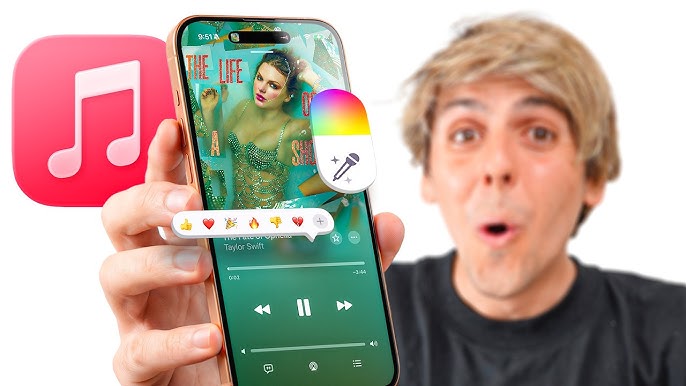
Open the Music app. Go to Library. Look at the top-right corner. You should see a new playlist icon.
Tap it. Playlist Playground appears as an option.
If you still do not see it, the new Apple Intelligence models are still downloading. Check Settings > Apple Intelligence & Siri to see the status.
The feature is in beta. That means bugs. That means occasional weird results. But overall, it works.
Smart Playlists vs AI Playlists: What Is the Difference?
This confused me at first. So let me explain.
Smart playlists are rule-based. You set conditions. "All songs rated 4 stars or higher." "Songs added in the last month." "Jazz genre only." These have existed for years in the Mac Music app.
You Must Also Like: Unblocked Music Apps for School That Work in 2026
AI playlists (Playlist Playground) are prompt-based. You describe what you want. The AI figures out the conditions.
Here is the catch.
Smart playlists still only work properly on Mac. The iPhone app has limited smart playlist support. You can view them. You can play them. But you cannot create or edit them on iPhone.
Apple has not fixed this in iOS 26.4. Disappointing, I know.
AI playlists work on both Mac and iPhone. That is the big shift.
How to Create a Smart Playlist in Apple Music (Mac)
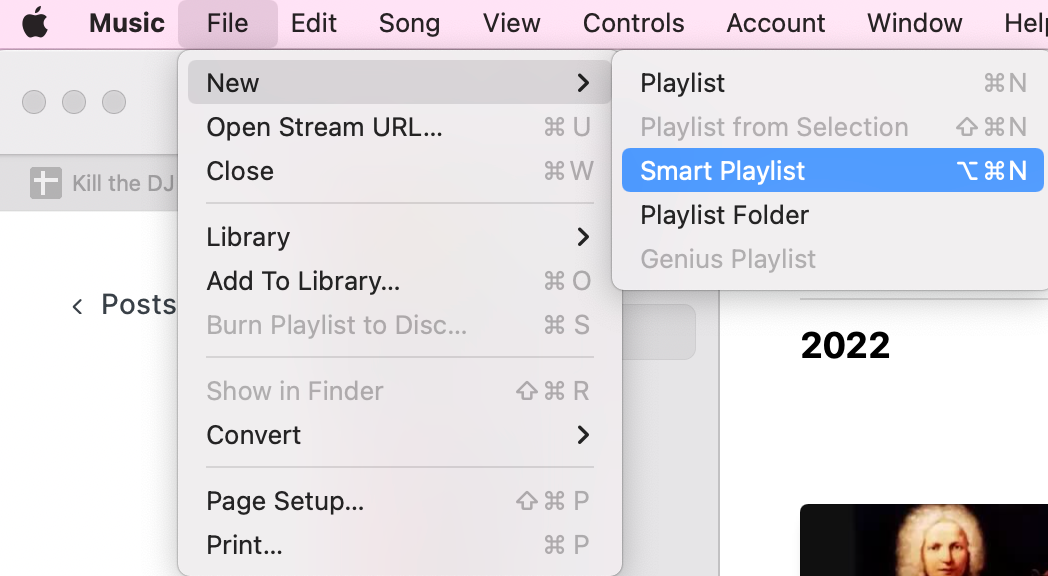
For the Mac users still reading, here is the how to create a smart playlist in apple music guide.
Step one: Open the Music app on your Mac.
Step two: Go to File > New > Smart Playlist.
Step three: Set your rules. You can use multiple conditions.
Examples of rules I use:
-
"Love" is Loved + "Plays" is greater than 5 → My favorite frequently played songs
-
"Last Played" is in the last 7 days → Recently listened to
-
"Kind" is Music + "Rating" is greater than 3 stars → All highly rated songs
-
"Genre" contains Rock + "Year" is greater than 2020 → Recent rock discoveries
Step four: Check "Match only checked items" if you want to exclude unchecked songs.
Step five: Check "Limit to" and choose a number if you want a cap. I set mine to 50 songs for most playlists.
Step six: Click OK. Name your playlist.
The smart playlist updates automatically as your library changes. That is the beauty of it.
But here is the frustration. These smart playlists sync to your iPhone. You can play them there. But you cannot edit the rules on your phone.
Smart Playlists Apple Music: 3 Templates to Steal
Let me save you time. Here are three smart playlist templates I use daily.
Template one: The "New Music" playlist
-
Rule: "Date Added" is in the last 4 weeks
-
Sort by: Date Added (newest first)
-
Limit: 100 songs
-
Why it works: You never forget what you recently added
Template two: The "Forgotten Favorites" playlist
-
Rule: "Plays" is less than 3
-
Rule: "Love" is Loved
-
Rule: "Date Added" is greater than 6 months ago
-
Why it works: Finds songs you loved but never listened to enough
Template three: The "Perfect Run" playlist
-
Rule: "Genre" is Rock OR Pop OR Electronic
-
Rule: "Plays" is greater than 10
-
Sort by: Plays (descending)
-
Limit: 50 songs
-
Why it works: Your most-played hits in one place
Apple Music Smart Playlist Download: Can You Save Offline?
People search apple music smart playlist download often. Here is the answer.
Yes. You can download any playlist—smart or AI—for offline listening. Open the playlist. Tap the download button (downward arrow icon). The songs save to your device.
But there is a catch.
If your smart playlist updates with new songs, those new songs do not auto-download. You have to download the playlist again. Or turn on automatic downloads in settings.
I learned this after a flight without Wi-Fi. My smart playlist had updated with ten new songs. None of them were on my phone. Painful lesson.
My advice: Before any trip, open your main playlists and hit download fresh. Takes thirty seconds. Saves frustration.
Apple Music Smart Playlist Not Working: Fixes That Actually Work
I have dealt with apple music smart playlist not working more times than I want to admit. Here is my troubleshooting flow.
Problem one: Smart playlist not updating with new songs.
Fix: Check that Sync Library is on. Go to Settings > Music > Sync Library. Turn it off. Restart your phone. Turn it back on . This forces a fresh sync.
Problem two: Smart playlist shows wrong songs.
Fix: Open the smart playlist rules on Mac. One of your conditions might be wrong. Double-check "Match" versus "Match all." "Match all" means every rule must be true. "Match any" means at least one rule. Pick the wrong one and your playlist breaks.
Problem three: AI playlist not generating.
Fix: Check your internet connection. Playlist Playground needs a connection to Apple's servers. Also check Apple's System Status page. The service might be down.
Problem four: Playlist not showing on iPhone after creating on Mac.
Fix: Give it time. Large libraries take a while to sync. Keep your devices on the same Wi-Fi. Keep them plugged in. Wait up to an hour.
Problem five: Sync Library is grayed out in Settings.
Fix: Check your Apple Music subscription. Is it active? Also check Screen Time restrictions. Someone might have disabled account changes.
What the Update Does Not Fix (Honest Limitations)?
Let me be real about what iOS 26.4 did NOT fix.
No smart playlist creation on iPhone. Still only on Mac. This is my biggest complaint.
No collaborative smart playlists. Cannot share a smart playlist that updates for everyone. Only personal.
No folder sync. You can create playlist folders on Mac. They do not sync to iPhone properly. The playlists appear. The folder structure does not.
AI playlists are beta. Glitchy sometimes. Random results sometimes.
No iTunes replacement for Windows. The Apple Music app on Windows is better than iTunes was. But still missing smart playlist features.
Apple added an Ambient Music widget for the Home Screen. Curated playlists for Sleep, Chill, Productivity, and Wellbeing. Nice addition. But not a smart playlist fix.
How to Use Apple Music Smart Playlist Features Better?
How to use Apple Music Smart Playlist effectively comes down to three habits.
Habit one: Rate your songs.
Smart playlists work best when you have data. Rate songs 1 to 5 stars. Heart the ones you love. This feeds the rules.
I started rating every song I listen to. Took two weeks to build the habit. Now my smart playlists are gold.
Habit two: Create a "To Rate" smart playlist.
Make a smart playlist with rule "Rating" is 0 stars. Play it when you are doing chores. Rate as you listen. Works like magic.
Habit three: Prune your library.
Songs you do not like clutter your smart playlists. Delete them. Your future self will thank you.
Offline Music Recognition: A Hidden Gem
The iOS 26.4 update added something else. Offline Music Recognition in Control Center.
You can identify a song without an internet connection. The system saves the recognition. It notifies you when you are back online .
This has nothing to do with playlists. But it is useful. Tap the Shazam-like button in Control Center. Identify a song in a coffee shop with no signal. Get the name later.
Who Should Use AI Playlists (And Who Should Not)?
After two months of testing, here is my honest take.
Use Playlist Playground if:
-
You want quick playlists for moods or activities
-
You are tired of building playlists manually
-
You like discovering new music within your taste
-
You have a good internet connection
Avoid Playlist Playground if:
-
You are a control freak about every single song
-
You have very niche music tastes
-
You want smart playlist features (stick with Mac for those)
-
You are offline often
AI playlists are for discovery and convenience. Smart playlists are for precision and rules. Use both. Different tools for different jobs.
The Final Thoughts
Apple Music smart playlist features finally got attention in 2026. Playlist Playground changes how you discover music. The AI works better than I expected. But smart playlist creation still lives on Mac only.
If you have not updated to iOS 26.4, do it today. The new playlist tools alone are worth the update time. Test Playlist Playground with five prompts. Build three smart playlists on your Mac. See what works for you.
And when something breaks? Check Sync Library first. That fixes ninety percent of problems.